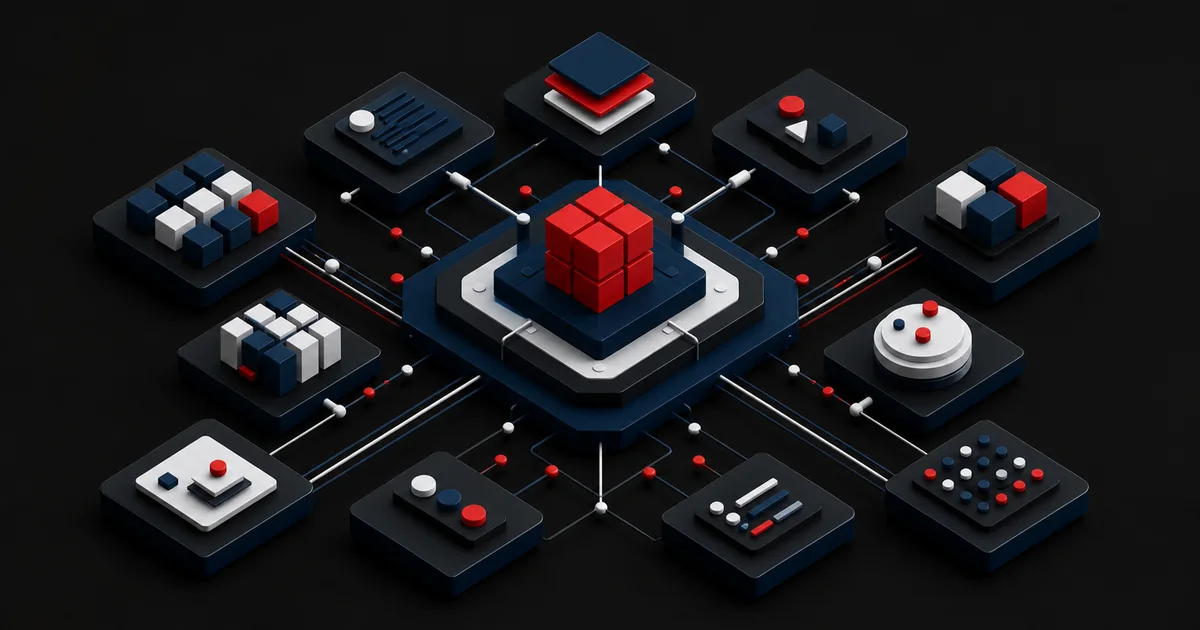
The request for a design system usually starts with complaints: scattered screens, duplicated code, slow delivery. The team responds by producing a color palette, a button set, and a documentation site. A few months later, product teams start forking the system because it does not meet their needs, while the central team maintains components nobody uses. The problem is rarely visual quality. It is that nobody defined which recurring decisions the system settles, and on whose behalf.
A good design system is product infrastructure in which design principles, accessible patterns, coded components, content guidance, versioning, and contribution management all work together. Not every company needs a large platform team. This guide starts by measuring the evidence of need and repetition, then establishes a minimum core, an ownership model, and an adoption plan. The goal is not more components. It is fewer decisions that teams can safely reuse.
1. First decide whether you actually need a design system
For a single product, a small team, and infrequent interface changes, a disciplined UI kit plus a code library may be enough. The investment starts to pay off when several products, platforms, brands, or teams keep solving the same interactions; when inconsistency turns into accessibility and quality defects; and when rolling out a shared change takes weeks. Tie the decision to the cost of repetition and the coordination load, not to company size.
Do not count screenshots in your opening inventory. Find the button, form field, navigation, table, notification, and modal variants that serve the same purpose, along with their codebases, usage frequency, defect history, and owners. Record the gaps between design and production separately. The same button showing up in five different files is not five distinct needs; it is a signal that a decision has been fragmented.
Write down your success hypothesis: reduce accessibility regressions through shared form components, shorten redesign time in a new product flow, or roll out a brand change through central tokens. "More consistency" cannot be measured. Without a baseline and an expected change in behavior, the system can turn into an abstract showcase that keeps asking for budget.
| Signal | Low need | High need |
|---|---|---|
| Number of products and teams | One flow, one closely knit team | Many products, independent teams |
| Repetition | A handful of shared patterns | The same decision solved over and over |
| Rollout of changes | Easy within one codebase | Slow across many repos and platforms |
| Risk | Local inconsistency | Accessibility, brand, and maintenance debt |
| Ownership | A natural owning team exists | Shared governance is required |
2. Keep the minimum core to tokens, base styles, and critical patterns
The first release does not have to cover the entire interface. Design tokens that name your color, typography, spacing, sizing, elevation, and motion decisions, a set of accessible base styles, and a few of the most frequent and highest-risk components can be a sufficient core. Look at defect severity alongside usage counts. A date picker may see little use, but if it is complex and critical, it can enter scope ahead of an ordinary card.
A component is more than a visual example. Its purpose, when to use it, when not to use it, content rules, states, keyboard behavior, accessible naming, responsive behavior, API contract, and sample code all ship together. When the design asset and the code component share the same names and the same state model, less meaning gets lost in translation between teams.
Resist centralizing complex domain-specific components early. A pattern that appears in only one flow and is still changing will slow down experimentation once it moves into the shared system. Learn locally first, then run it through the contribution process when its value and stability are proven across more than one context. A system is not there to erase every difference; it is there to provide a safe, repeatable foundation.
3. Balance central control with product team contribution
A centralized model delivers consistency but can create a slow queue; a distributed model raises speed but invites forking. In most organizations a small core team owns quality, architecture, and releases, while product teams contribute research, design, and code. When decision rights are not written down, debate turns into a negotiation over personal taste.
The GOV.UK Design System contribution criteria require evidence that a proposal is both useful and unique. Before publication, a pattern is expected to have been researched with representative users, including disabled users, and to be consistent and versatile enough to work across different services. That approach treats "one team asked for it" as insufficient grounds for admission into a shared system.GOV.UK Design System — Contribution criteria (opens in a new tab)
A contribution template should capture the need being solved, why existing components fall short, the usage contexts, research evidence, accessibility testing, API impact, the maintenance owner, and a migration plan. Set up a fast consultation path for lightweight requests and a more detailed review for breaking changes. Archive rejected proposals with the reasoning behind them, so the same debate does not reopen every few months.
- Decision rights for the core team and product teams are written down.
- Contributions must show evidence of need, repetition, and uniqueness.
- Accessibility, content, design, and code are reviewed together.
- Every component has a named maintenance and support owner.
- A versioning and migration policy covers breaking changes.
- Rejected or deferred proposals are recorded with their rationale.
4. Treat documentation as a product contract and versioning as change management
Documentation is a usage contract, not a screenshot of a component. It brings variants and content limits for designers, the API, dependencies, and examples for developers, expected interactions for QA, and appropriate-use conditions for product managers into one place. To keep code and documentation from drifting into separate versions, generate examples from the real component wherever possible and make documentation part of the release process.
Set an explicit policy along the lines of semantic versioning: what counts as a bug fix, a backward-compatible feature, and a breaking change? The changelog should describe user impact rather than list file names. For breaking changes, provide automated codemods, code examples, an end-of-support date, and a named migration owner. The cost of keeping a system current outlives the cost of building it.
Make the version relationship between the design library, the package registry, and the documentation site visible. If teams use the new component in design and the old one in code, the claim of a single source of truth falls apart. Usage telemetry can show which package versions and components are active without collecting personal data, while surveys and support tickets explain why something is not being adopted.
| Area | Question it answers | Example evidence |
|---|---|---|
| Purpose | When should it be used? | Good and bad usage |
| Behavior | How do the states work? | Keyboard and responsive demo |
| Content | What language and length fit? | Copy rules |
| Code | How is it implemented? | API and a real example |
| Lifecycle | What changed and how do you migrate? | Release note and migration guide |
5. Hypothetical scenario: consolidating form debt across three products
This scenario is hypothetical; it is not a real client outcome. Say a company's three web products use 14 text fields, six error message formats, and four different button packages. Teams ship new form screens quickly, but keyboard focus, error summaries, and analytics names differ in every product. The central team's opening proposal is to rewrite every interface component within six months.
The inventory shows that most of the problems cluster in the form family and the base tokens. The inputs are usage frequency, accessibility risk, maintenance cost, and repetition across products. Instead of a large rewrite, the decision is to build a pilot made up of color, typography, and spacing tokens plus a text field, a select, an error summary, and a primary button. One product team is chosen as the pilot partner on a real signup flow.
The pilot is not judged on looking good. Integration time, reported accessibility defects, the number of local overrides, how often the documentation answers the question at hand, and developer feedback are all tracked. If two more products can adopt the components and local forks decline, scope expands. The complex date picker stays with the product team until its user research is complete.
6. Run adoption as a supported migration program, not an announcement
Do not expect teams to migrate on their own once the system ships. Choose your first users based on how strong their need is and how willing they are to collaborate. Provide office hours, a reference integration, migration recipes, and direct support. Separate default usage in new development from the gradual conversion of legacy screens; moving everything at once can lock up the roadmap.
Split measurement into outputs and outcomes. Outputs are published components, documentation coverage, and support requests. Outcomes are adoption in active products, version currency, local overrides, recurring defects, the time it takes to roll out a change, and team satisfaction. A high download count is not always correct usage. Code search, package telemetry, and sample reviews together give a more realistic picture.
In the first 90 days, month one can cover inventory, hypothesis, and ownership; month two the pilot core, documentation, and quality testing; month three real product integration, feedback, and the decision on expansion. The timeline shifts with your organization's capacity. Every quarter, review unused components, open accessibility debt, and maintenance capacity, and keep the right to narrow scope.
- The first adopting product and a real usage flow have been chosen.
- Migration guide, sample code, and a support channel are ready.
- New development and legacy screen conversion are planned separately.
- Active usage and local overrides are measured together.
- Version currency and breaking change migrations are tracked.
- Scope and maintenance capacity are reviewed each quarter.
7. Limits and failure modes: a system is no substitute for product design
A design system does not replace local user research, product strategy, or expert domain judgment. A shared card component will not tell you which information to show; accessible form infrastructure will not justify unnecessary fields. The system offers safe defaults, but every flow still has to be designed around user needs and context.
The most common failures are treating the system as a brand showcase, using component count as a success metric, managing design and code separately, closing off contribution, allocating no maintenance budget, and mandating usage without providing support. Overly abstract APIs try to support every possibility and become hard to use. Overly rigid components push product teams toward hidden forks.
The GOV.UK Design System presents usage guidance alongside coded examples on its component pages. That does not mean your own system has to copy the same structure, but it is an institutional example of a component treated as a contract completed by implementation and usage knowledge, not merely a visual asset.GOV.UK Design System — Components (opens in a new tab)
Your system can stay small and still succeed. Five well-supported, accessible, widely used patterns are worth more than fifty ownerless components. Merging patterns, retiring them, and being able to say "that is out of scope for this system" are as much a part of governance as adding new pieces.
Conclusion
A design system is not a file handover. It is living infrastructure that governs recurring product decisions. Prove the need, start small and risk-driven, balance contribution with quality, support the migration, and measure success by dependable adoption rather than component count.
Frequently Asked Questions
Sources
- GOV.UK Design System — Contribution criteria (opens in a new tab)
Criteria of usefulness, uniqueness, usability, consistency, and versatility for component and pattern contributions
- GOV.UK Design System — Components (opens in a new tab)
Usage guidance alongside coded component examples
Build a system core your teams will actually use
Let's combine your interface inventory, accessible components, and contribution model into a design system plan validated in a real product flow.
Build my design system plan