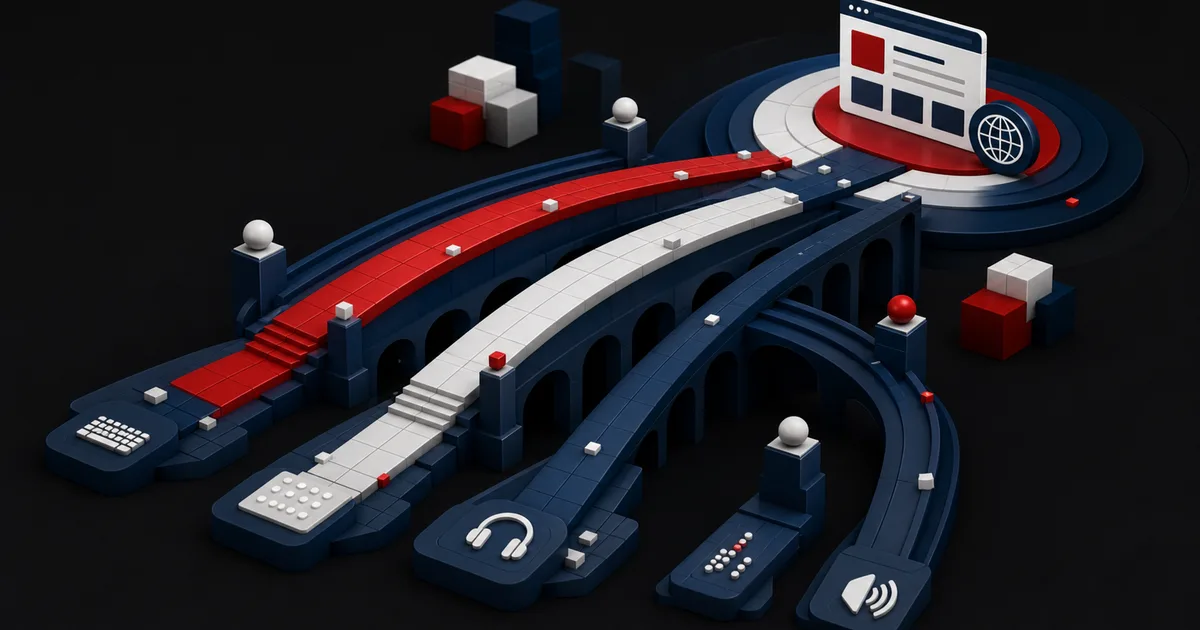
Accessibility work stalls the same way in most organizations. A launch date approaches, someone runs an automated scanner, a long list of errors comes back, and the team closes only the easy items. But a checkout that cannot be completed with a keyboard, a button with no name in a screen reader, or content that disappears at high zoom is not last-minute cosmetics. Each one is the combined result of design, content, code, procurement, and quality assurance decisions. The right question is not "how many errors did we find?" but "which user tasks can we make reliable from start to finish?"
This roadmap treats accessibility as product work rather than a one-time certificate. You set the target and the scope first, then take inventory of critical journeys, components, and content types. Automation is paired with human evaluation, and technical acceptance criteria are paired with research involving disabled users. The output is not only an audit report; it is a portfolio of work in which every item has an owner, a priority, a verification method, and a quality gate that keeps the problem from coming back.
1. Define the conformance target, the scope, and the user task together
WCAG 2.2 defines three conformance levels: A, AA, and AAA. AA conformance requires that every success criterion at level A and level AA is met, conformance is evaluated for full pages, and responsive views fall inside that evaluation. W3C also does not recommend requiring level AAA as a general policy for entire sites. Confirm the legal, contractual, and sector requirements that apply to your organization with qualified advisors first, then write your technical target down in plain terms.W3C — Web Content Accessibility Guidelines (WCAG) 2.2 (opens in a new tab)
A standards target on its own is not a scope. List the domains, the mobile web, screens behind a login, document and video types, third-party payment or booking flows, supported languages, and legacy applications. Components you do not control are not quietly dropped as out of scope; they are managed with vendor risk, an alternative route, and a remediation timeline. Until those boundaries and an exception process are attached to it, a short sentence such as "new main site, WCAG 2.2 AA" leaves every team measuring a different project.
Tie the scope to user tasks such as opening an account, finding a product, paying, and getting support. A low-traffic password reset screen can be a critical gateway to access; priority is set by how essential the task is and how severe the barrier is, not by traffic alone.
| Dimension | Question to ask | Output |
|---|---|---|
| Standard | Which version and level are we targeting? | An approved conformance target |
| Assets | Which sites, apps, documents, and third-party flows are included? | A scope inventory |
| Task | Which outcome must users complete without interruption? | A list of critical journeys |
| Evidence | Which tests will demonstrate success? | A verification plan |
2. Inventory templates, components, and content instead of counting pages
Listing thousands of URLs one by one hides the root causes that repeat across them. Group pages into their underlying templates: home, listing, detail, search, form, account, and transaction screens. Then map the shared components: menus, modals, tabs, dropdowns, data tables, notifications, and file uploads. On the content side, make heading structure, link text, alternative text, captions, transcripts, and the PDF production process visible as a workstream of their own.
The baseline measurement needs a balanced sample. Pick pages that cover high traffic, critical tasks, different technologies, legacy content, and known complaints. Automated scanning is fast at finding missing labels, some color contrast issues, and problematic code patterns. What it cannot prove on its own is whether the focus order makes sense, whether an error message is understandable, or whether the task can actually be completed with a screen reader.
W3C's conformance evaluation resources present WCAG-EM as an approach for determining how well a website conforms to WCAG, and the report tool supports the evaluation steps and the reporting rather than performing the review for you. That distinction matters: tool output is an input to your evidence, not a conformance decision.W3C WAI — Conformance Evaluation and Reports (opens in a new tab)
3. Rank findings by severity, prevalence, and risk of recurrence
Attaching a WCAG number to each finding does not create a product queue. Describe the user impact: is the task fully blocked, does it take serious extra effort, or is it a minor annoyance? Add how many templates and components it affects, whether a workaround exists, and the risk that the fix breaks another flow. A keyboard trap in the shared menu can outrank a small contrast deviation on a single page.
Ownership is layered. Product management owns scope and priority, design owns accessible states and interactions, the content team owns language, structure, and media alternatives, engineering owns semantic implementation, and quality assurance owns repeatable tests. Legal interprets the target but does not design a usable solution on its own. Every work item needs acceptance criteria, a test environment, a responsible owner, and a named verifier.
Label the root cause as design system, content template, application code, third party, or editorial process. Fix the shared component rather than individual instances, and put its different states and every template that uses it into regression testing.
- The affected users and tasks are written out for every finding.
- Severity, prevalence, workarounds, and recurrence risk have been assessed.
- The implementation owner and an independent verifier are both named.
- Issues caused by shared components are separated from one-off URLs.
- Acceptance criteria cover keyboard, screen reader, and zoom conditions.
- Third-party barriers have a vendor plan and an alternative route.
4. Build accessibility into design and release quality gates
During design, define each component's keyboard behavior, focus appearance, error and empty states, response to text enlargement, and assistive technology name. If only the ideal screenshot is handed over, developers end up guessing at the behavior they cannot see. The content model has to bring heading levels, meaningful link text, and media alternatives into the editor's workflow as well.
In code, start from semantic HTML and build custom interactions only where there is a real need. Component tests cover accessible name, role, state, and keyboard behavior; page tests cover focus flow and error recovery. Automated checks give fast feedback inside the pull request, while manual scenarios and assistive technology testing run against the release candidate. Research with disabled users then shows the team which decisions pass a criterion technically while still making the real task harder.
Critical barriers stop the release; lower-risk findings can go into a debt register with an owner and a date. Every exception should make the affected users, the alternative route, the rationale, and the expiry date visible.
| Stage | Quality gate | Evidence |
|---|---|---|
| Discovery | Critical tasks and user needs are defined | Research summary and scope |
| Design | Every state and interaction is specified | Annotated prototype |
| Development | Semantics and automated checks pass | Component tests |
| Release | Manual task tests are complete | Test record and known limits |
| Production | Regressions and feedback are monitored | Dashboard and defect queue |
5. A hypothetical scenario: re-prioritizing an application flow
This scenario is hypothetical; it is not a client result or a performance promise. Picture a service platform with 400 content pages, 12 shared templates, and a four-step application flow. Automated scanning mostly returns alternative text findings on decorative images plus low-impact contrast issues. Keyboard testing, however, shows that users cannot exit the date picker, and screen reader testing shows that the error summary at step three is never announced. The application is the gateway to the organization's core service.
The team scores its inputs on traffic, task criticality, barrier severity, and shared root cause. The decision is not to clear hundreds of image records first, but to make the date picker and the error summary release-blocking work. The design system team fixes accessible date entry and the error pattern while the content team prepares a decision tree for decorative versus informative images. Third-party authentication goes into the vendor register separately.
Verification tracks two real tasks instead of a single success score: submitting an application with the keyboard alone, and finding and correcting an error with a screen reader. Fixes are retested across the supported browser and assistive technology combinations. The decision logic is clear: first what blocks access to the service, then systemic problems with a wide surface of repetition, then low-severity content debt.
6. The first 90 days of accessibility operations
In the first 30 days, name the sponsor, the product owner, and the technical lead, then write down the standards target, the scope, and the supported test combinations. Select the critical user journeys and produce a template and component inventory. Combine user complaints, automated scanning, and manual task testing into a baseline picture. What this period should produce is not a flawless site but an agreed view of the risk.
Between days 31 and 60, fix the critical barriers and the shared component root causes. Add accessible states to the design system, heading, link, and media rules to the content guide, and acceptance criteria to the engineering template. Send vendors measurable requirements. Test at least one critical journey with disabled participants or an appropriate expert user evaluation, and tie the findings to product decisions.
Between days 61 and 90, move automated tests into continuous integration and manual checks into the release checklist. Track time to fix, recurring defects, and critical task success. Connect an accessible feedback channel to the product queue, and present the remaining risk and the exception dates to leadership.
- Days 0–30: target, scope, tasks, and the baseline assessment are complete.
- Days 31–60: critical barriers and shared component issues are being fixed.
- Days 31–60: the design, content, and code guides have been updated.
- Days 61–90: automated and manual quality gates are running.
- Days 61–90: feedback, metrics, and exception management are working.
7. Limits and failure modes: conformance is not the whole of usability
WCAG gives you a strong, testable common baseline, yet on its own it does not cover every need across every type of disability, context, and combination of circumstances. A claim of technical conformance does not mean the product is easy for everyone. Standards testing therefore has to be complemented by task success, support feedback, content clarity, and research with disabled users. This article is not a legal compliance opinion either; obligations that come from your country, sector, and contracts should be confirmed with qualified advisors.
The common failures are declaring conformance from an automated score, delegating accessibility to a single specialist, and ignoring third parties. Overlay tools do not substitute for fixing the underlying code, and a single audit cannot catch regressions introduced by later changes.
For a program to last, pick a small set of meaningful metrics. Open defect count on its own is a poor measure; a better report shows blocking defects in critical tasks, test coverage of shared components, time to fix, recurring root causes, and user feedback side by side. The goal is not to turn the report green but to make it hard for an access barrier to reappear in the production system.
Conclusion
An accessible web is not a remediation campaign that starts on audit day; it is a discipline that runs from scope to design, from code to content, and out to your vendors. Center the tasks, combine automation with human evaluation, fix the root causes, and protect the fixes.
Frequently Asked Questions
Sources
- W3C — Web Content Accessibility Guidelines (WCAG) 2.2 (opens in a new tab)
Conformance levels, full-page scope, and the limits of the standard
- W3C WAI — Conformance Evaluation and Reports (opens in a new tab)
The WCAG-EM approach and evaluation reporting
Move accessibility from a defect list to an actionable product plan
Let us build a measurable accessibility roadmap that covers your critical journeys, shared components, and quality gates.
Build my accessibility roadmap