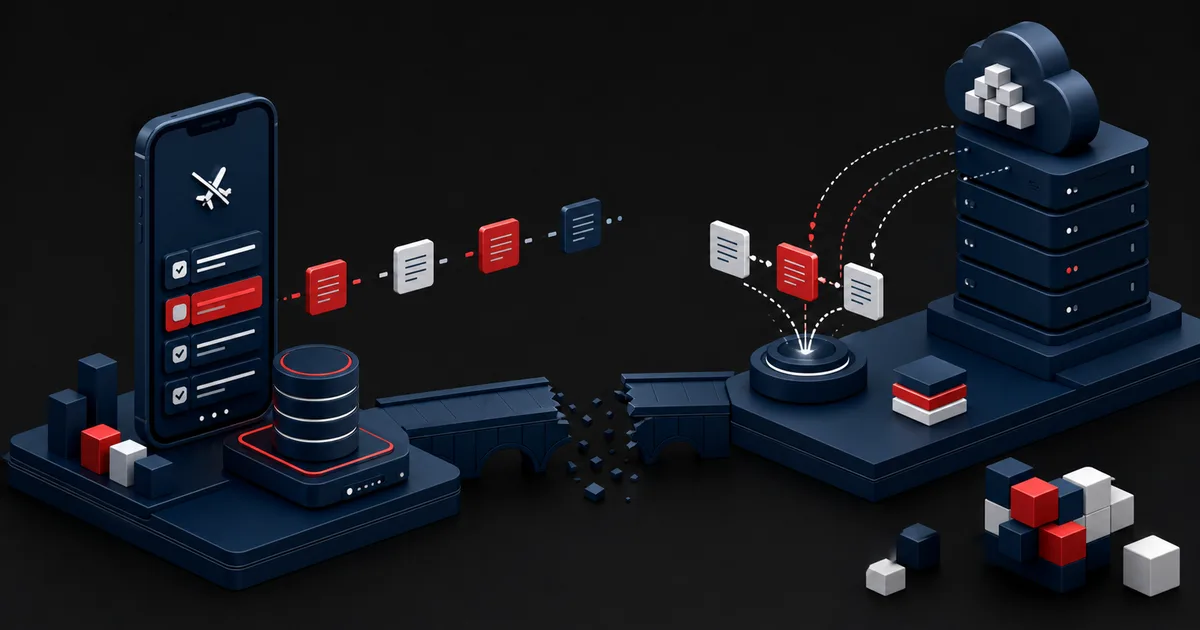
Mobile connectivity is not simply on or off. It drops for a few seconds in a subway, requests time out in a crowded venue, a corporate network blocks certain domains, someone returns from airplane mode, or background restrictions defer a sync. An app built only around the successful network request looks unreliable in that gray zone: users cannot tell whether their entry was saved, they repeat the same action, and they produce contradictory data. An offline-first approach treats the network as a variable dependency rather than a guarantee the product can lean on.
This does not mean every feature has to work without a connection. It means critical tasks continue on local data, the state of each action is shown plainly, and everything is reconciled safely once connectivity returns. In a news app, reading already downloaded stories may be enough; in a field inspection form, offline writing is mandatory; in a live auction, acting without the current bid is dangerous. Scope should follow user harm and the risk of conflicting data.
1. Choose the offline scope around the critical user task
Start with a task inventory and classify each task, for the case where there is no connection, as read, create, edit, queue, or block. Emergency contact details, tickets, field instructions, and previously opened documents should stay readable locally. A profile photo update can wait in a queue. The last unit sold against live inventory, or a financial transfer, must never appear as completed without server confirmation.
Write down an acceptable staleness window for every task. A week of training content can stay valid for hours; a shift assignment can change within minutes. Rather than hiding older data entirely, it is usually more useful to show when it was last updated and whether a refresh is running. For high-risk information such as safety, pricing, or health data, stale values call for an explicit warning and a restriction.
Offline scope is bounded by device storage, battery, data usage, and privacy. Instead of downloading everything up front, define the subset, the attachments, and the retention window the task actually requires. On shared devices, design encryption, sign-out, and deletion behavior for any sensitive cache.
2. Make local data the read source and sync a separate process
Android's official offline-first architecture guide recommends that a repository using the network own both a local and a network data source, and that the authoritative source read by the layers above it be the local data. Changes written to the local source first can update the interface immediately, while a network queue informs the server later. The guide also stresses that offline writes require a deliberate conflict and error strategy.Android Developers — Build an offline-first app (opens in a new tab)
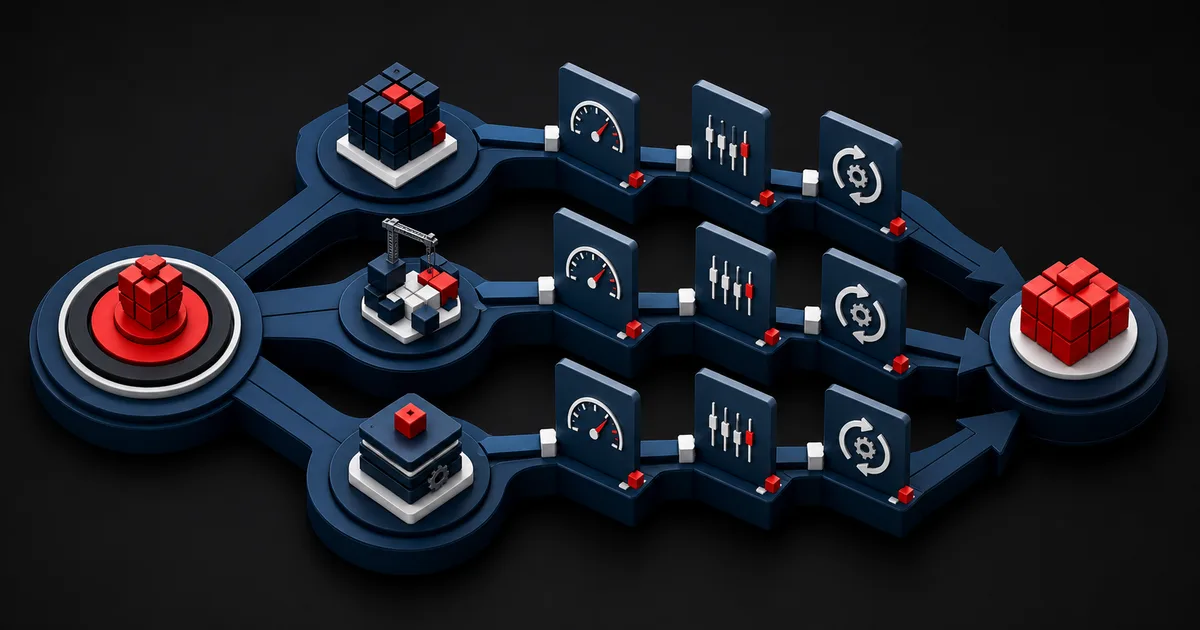
In this model the interface never renders the network response directly. Data from the server is validated first and written into local storage; the screen observes that same source. This keeps two competing versions of the truth from appearing as the connection state changes. Even so, do not treat the local source as absolute truth: records should carry states such as `pending`, `synced`, `failed`, `conflicted`, or `stale`.
Separate sync work from the application lifecycle. The operating system can shut the app down, battery saving can defer background work, and the same queue can run again. Operations have to be safe to repeat; a unique operation identifier plus server-side idempotency should keep the same record from being created twice.
| Task | Behavior without a connection | What the user sees | Core risk |
|---|---|---|---|
| Reading saved content | Open the local copy | Last updated time | Stale information |
| Creating a form | Save locally and queue | Pending badge | Lost or duplicate entry |
| Editing a shared record | Draft or versioned write | Conflict explanation | Overwriting |
| Uploading a file | Chunked, retryable queue | Progress and stop control | Battery, data, duplicates |
| Action that demands current data | Block it safely | Reason and retry | False commitment |
3. Design the rules for sync, retries, and conflicts
A queue item should carry what to do, which entity it belongs to, the local version, the time it was created, and its attempt state. Firing the entire queue aggressively the moment the network returns strains both battery and server. Schedule with exponential backoff and account for network type, charging state, and job priority. A critical submission someone is waiting on does not belong in the same priority lane as deferrable work such as analytics.
For conflict resolution, last write wins is simple but not safe for every kind of data. It is acceptable on a personal note and destructive on inventory counts, shift assignments, or shared form fields. Choose between field-level merging, server authority, a decision handed to the user, or an immutable operation log, based on the data type. Any automatic resolution needs a documented rule and observability.
Deletion is especially hard. If a record edited on an offline device was deleted elsewhere, should it be resurrected or raised as a conflict? Add tombstones, version numbers, and retention periods to the schema. Assume clocks can be wrong and never rely on device time alone.
- Generate a unique client operation ID for every write.
- Persist queue state and the last error class.
- Tie retries to network, battery, and priority conditions.
- Document the conflict policy for each data type.
- Test deletion and schema version scenarios separately.
4. Hypothetical scenario: a field inspection form on a weak network
This scenario is hypothetical and does not describe a real client outcome. Picture a mobile form with photos, checklist items, and a signature, used by a team that inspects warehouses. Some buildings have no coverage. The current prototype posts the record to the server on every page transition, so the form freezes on a timeout; when someone retries, the same inspection can be opened twice.
In the new scope, assigned inspections and the instructions they require are downloaded at the start of the shift. Every field change is written to a draft on the device, and photos enter a separate, resumable queue. The screen shows 'saved on this device' and 'sent to the central system' as two distinct states. Each inspection carries a unique identifier, and the server recognizes a repeated request as the same operation.
If two inspectors edit the same job, the last write does not win silently. The server compares field versions; different checklist items merge, and when the same item conflicts, the responsible person sees both values with their timing context. The pilot is judged on lost drafts, duplicate entries, transfer delay, battery use, and whether people actually understand the status indicator. A success rate is measured in the field, not assumed.
5. Explain connection state through actions, not technical jargon
A permanent offline banner is not enough. What matters to users is which work they can do and where their data currently sits. Messages such as 'This draft is saved on this device', '3 photos are waiting to be sent', or 'A connection is required to confirm this price' name both the action and its consequence. Color should never be the only signal; pair icon, text, and an accessible announcement.
Optimistic UI belongs only to actions that are reversible and easy to understand. The interface can update the moment someone adds an item to favorites; a money transfer must not be called complete without server confirmation. Instead of retrying a failed queue item silently forever, surface the problem, the last attempt, and the options open to the user.
A manual refresh does not replace automatic sync, but it gives people a sense of control. Prevent it from spawning several refreshes at once. List order, form focus, and text already typed must not reset while the network comes and goes.
6. An eight-week rollout and network disruption test
The official Cloud Firestore documentation states that with offline persistence enabled the data in use can be cached, that local changes are synchronized once the connection returns, and that when several changes hit the same document the last write wins. This built-in behavior is enough for some products; for critical shared editing, test explicitly whether it matches your business rules. Confirm against the current documentation that defaults and support coverage can differ by platform.Firebase Documentation — Access data offline with Cloud Firestore (opens in a new tab)
Spend the first two weeks classifying tasks and staleness limits. In week three, design the local schema, the queue, and the state model. In weeks four and five, implement a single critical flow end to end. Week six belongs to conflict and deletion rules. In the final two weeks, try network latency, packet loss, app termination, device restart, low storage, and version upgrades on real devices.
Testing is more than airplane mode. Cut the connection after a request is sent, close the app while the response is arriving, edit the same account on two devices, fill the queue with a thousand items, and simulate a server that fails partially. Observability should cover queue age, failed attempts, conflicts, and the rate of duplicated operations.
- We classified critical tasks as read, write, queue, or block.
- Every data type has a defined staleness and retention limit.
- Local state is the authoritative read source for the interface.
- Queue operations are safe when they run again.
- Conflict and deletion policies are written down per data type.
- Users can tell a local save apart from a server upload.
- We tested interruption, termination, and multi-device scenarios.
7. Limits and failure modes: offline-first is not free
A local database, a queue, versioning, and conflict resolution enlarge both the product and the test surface. Full offline writing may be unnecessary in a simple content app. In high-risk real-time transactions, carrying on with old data can harm the user. Start with the narrowest valuable scope, and do not move every feature offline for the sake of technical consistency.
Security risk grows as well. Sensitive data stays on the device longer and may be reachable on a lost or shared handset. Weigh operating system protections, the need for in-app encryption, key management, screenshot policy, and remote sign-out against your threat model. Do not confuse clearing a cache with mandatory record retention.
Finally, sync is never invisible and never flawless. Server schemas change, account permissions are revoked, storage fills up, or the queue is corrupted. Recovery, export, support diagnostics, and a clear explanation for the user are part of the design. Offline-first does not promise success under every condition; it reduces data loss and false confidence when network conditions are uncertain.
Conclusion
An offline-first experience treats a dropped connection as a normal condition of the product architecture instead of covering it with an error screen. Choose the critical tasks, model the local source and the sync state, resolve conflicts according to the data type, and show users plainly what has really been saved. Once you validate a narrow pilot with hard network tests, the app becomes not only fast but dependable under uncertainty.
Frequently Asked Questions
Sources
- Android Developers — Build an offline-first app (opens in a new tab)
Local data source, read and write paths, queue, and conflict architecture
- Firebase Documentation — Access data offline with Cloud Firestore (opens in a new tab)
Offline persistence, caching, and sync behavior after the connection returns
Prepare your app's critical flows for weak networks
Let's design the offline scope, the local data model, and the sync quality plan together, based on the risk to your users.
Map my offline-first roadmap